
Ko-ko Money grew out of a personal story. I used a handy budget-tracking app but hit its paywall — and couldn't pay for a subscription: my account is Russian, and Google Play stopped accepting payments from Russia. Re-downloading the old version from another account didn't work either — the store already had a newer, less convenient one. So I thought: I'm a developer — why not build my own?
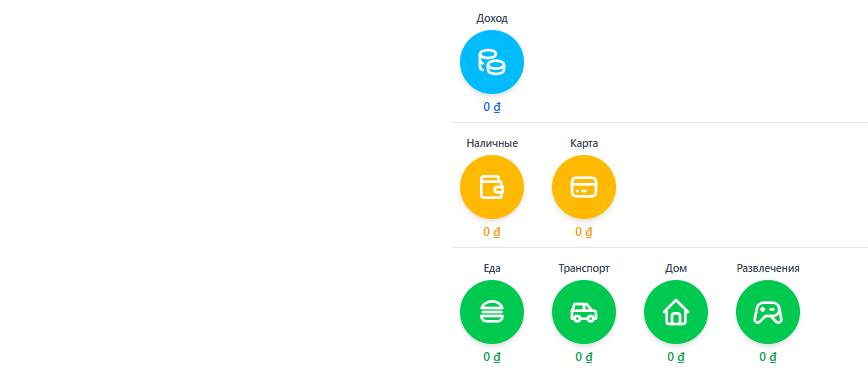
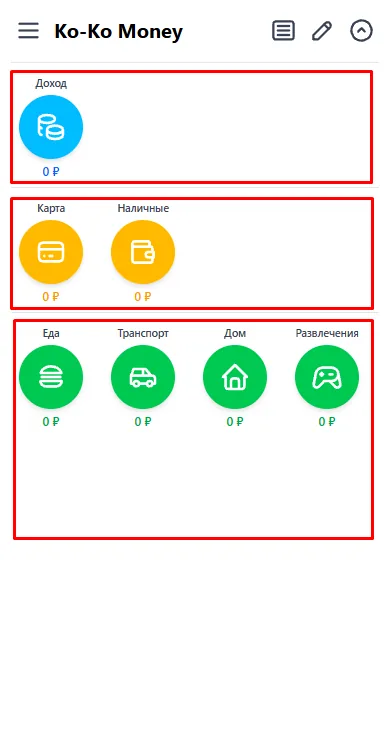
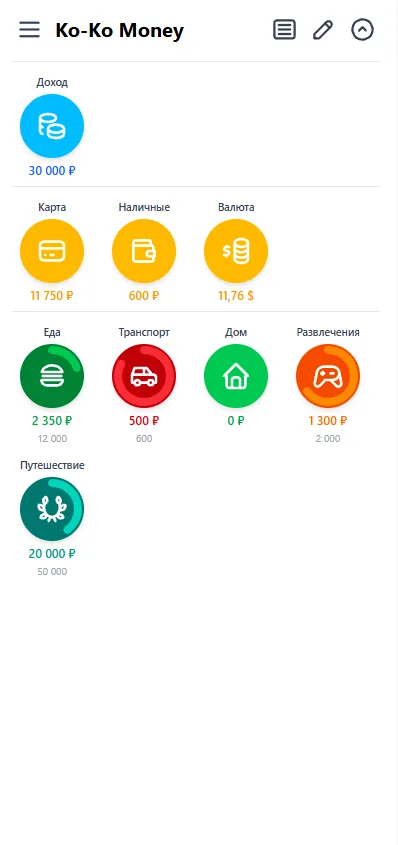
That's how Ko-ko Money came to be — an income and expense tracker that runs right in the browser. I built it as a local-first PWA: it installs to the home screen, works offline, and records live on the device itself. The core gesture is drag-and-drop: three rows of circles (income sources, accounts, spending categories), and an operation is created by dragging one circle onto another.
I'm building Ko-ko Money as a labour of love: the product is free, it's in open beta, and you can say thanks with a donation — if you feel like it. It already has multi-currency support, budgets and limits, goals and savings, analytics with charts and graphs, and light and dark themes. The frontend is written in Svelte 5 and TypeScript; cross-device sync is served by a FastAPI and PostgreSQL backend.
Features
-
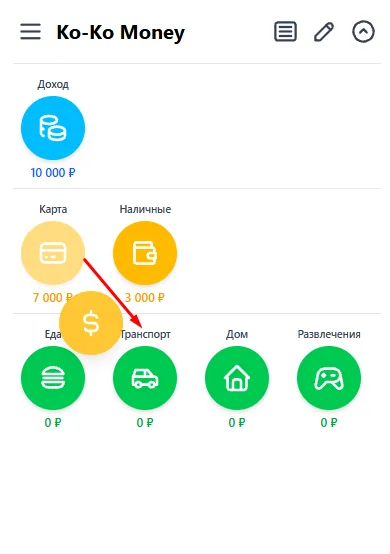
Drag-and-drop input
Three rows of circles — income, accounts, expenses. An operation is created by dragging one circle onto another; the direction sets the meaning: income, expense or transfer.
-
Local-first PWA
Installs to the home screen and works offline — the interface and records live on the device. The network is only needed for sync and exchange rates.
-
Multi-currency
Each account has its own currency, with cross-currency transfers and rates for analytics — no made-up «grand total» figures.
-
Goals & savings
Dedicated goal and debt circles that accumulate without a monthly reset: save up for a trip, track paying off a debt.
-
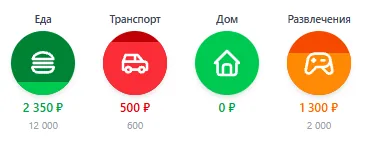
Budgets & limits
A per-category limit with a colour-coded spend indicator (green → orange → red), shown as a fill or a ring.
-
Analytics & reports
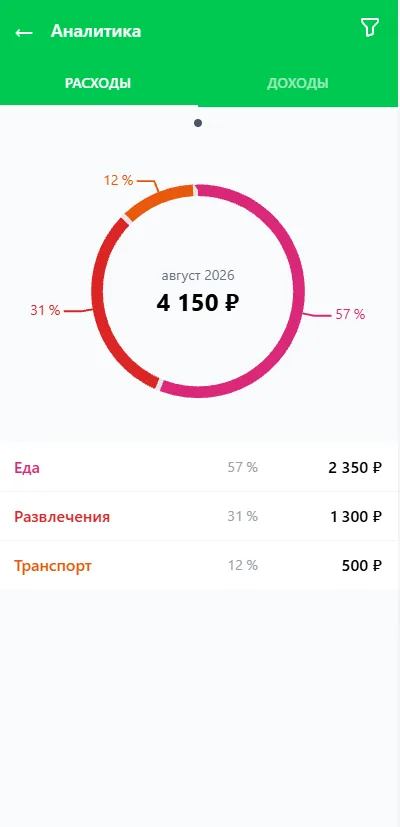
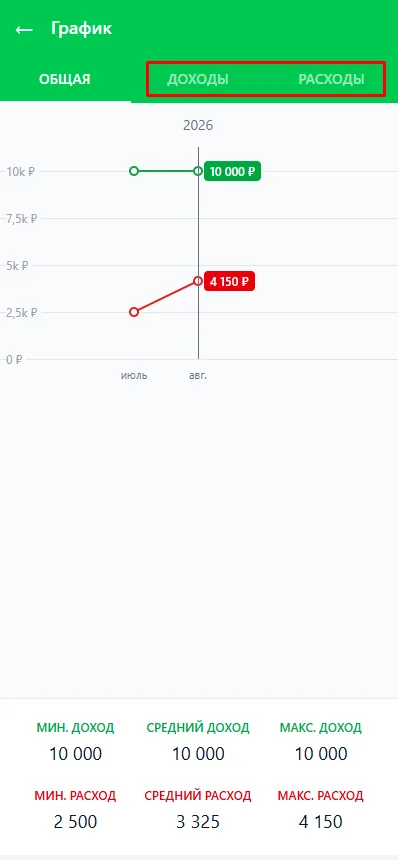
Donut charts by category and source, a monthly income/expense graph, a daily report and an operations feed.
Screenshots
Tech stack
- Svelte 5
- TypeScript
- TailwindCSS
- Dexie (IndexedDB)
- PWA
- FastAPI
- PostgreSQL
- Docker