
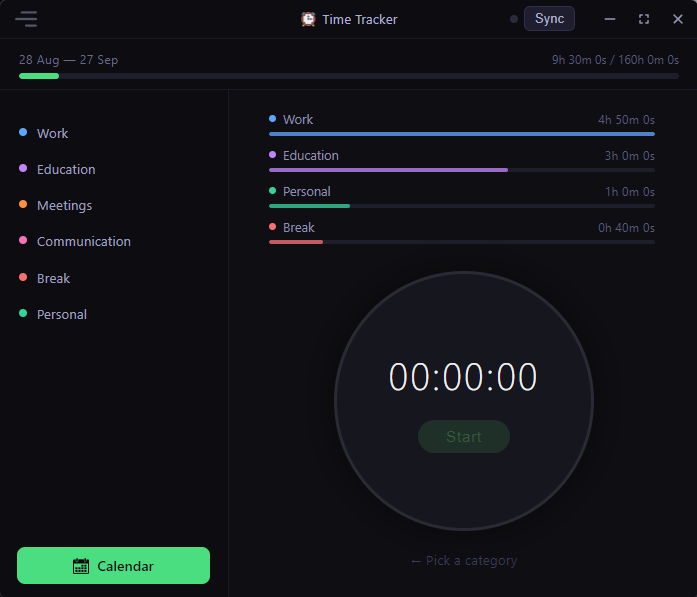
Time Tracker is a small desktop app that measures how much time you actually spend on work — by category, against a monthly budget of hours. Start a timer, pick a category, stop — the session is saved.
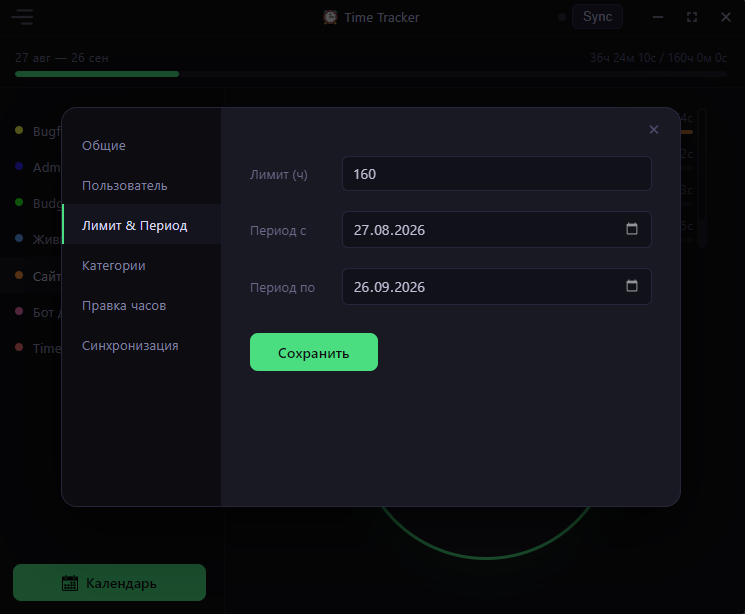
It started as a two-person tool: two people on the same home network, each tracking their own work, sharing a single monthly hour limit (160 h by default). It has since grown into a general-purpose tracker that works great solo and turns into a pair only when you want it to — via a short group code.
Privacy comes first: solo mode is fully offline and never touches the network — no accounts, no analytics, no telemetry. Records are stored locally (SQLite in your AppData folder) and survive reinstalls. Sync is opt-in and stays on your local network — nothing goes to the cloud.
Features
-
Big round timer
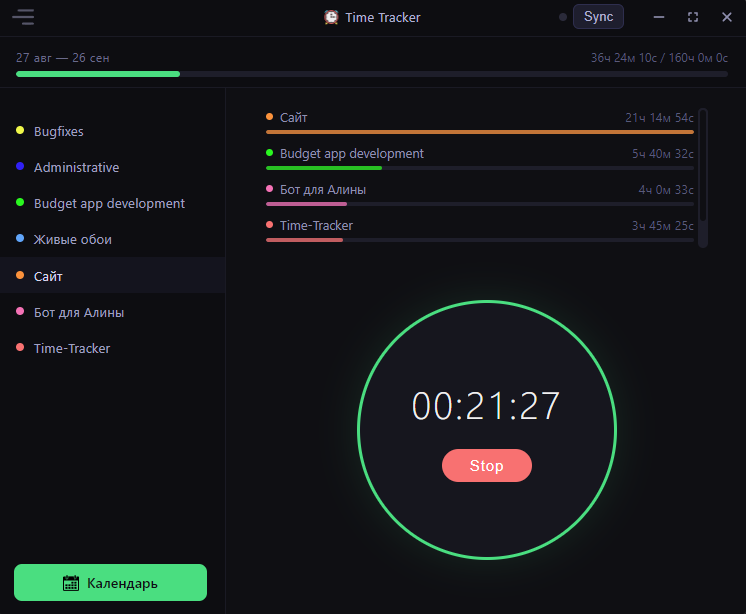
Start / Stop with a category dropdown. A post-stop dialog lets you review the time, re-assign the category and save (or discard) the session.
-
Color-coded categories & progress
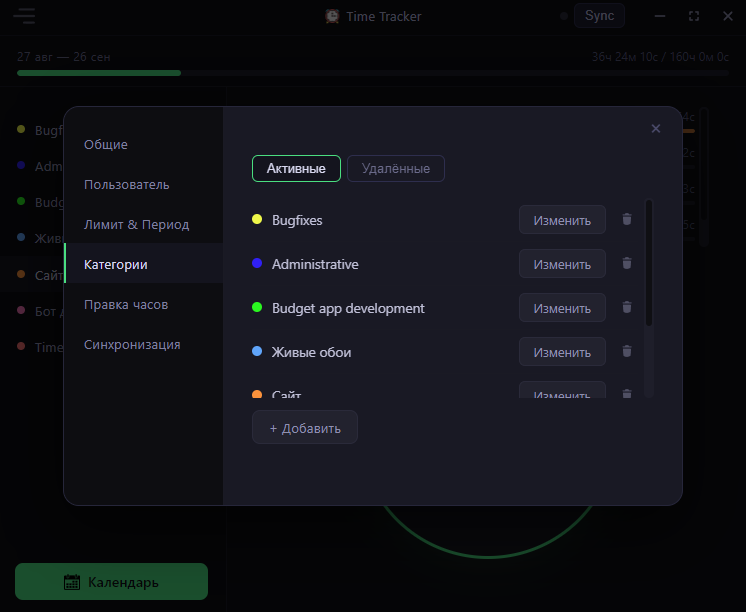
Locale-aware presets on first run plus your own custom categories; soft-delete and restore without losing history. Per-category progress bars relative to your busiest one, with live totals.
-
Shared monthly limit
A single limit for the whole period (160 h by default) — a top bar that turns from green to red once you go over.
-
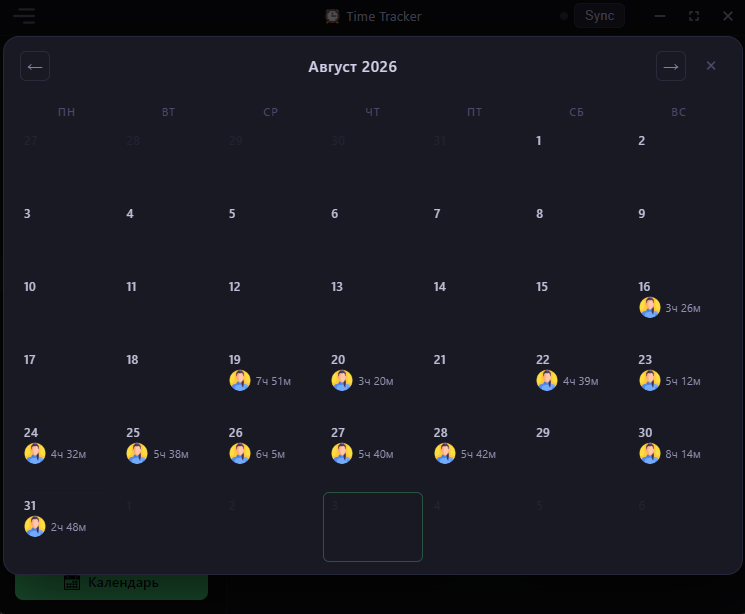
Calendar
A popup calendar with daily totals per user, avatars, month navigation and today highlighted.
-
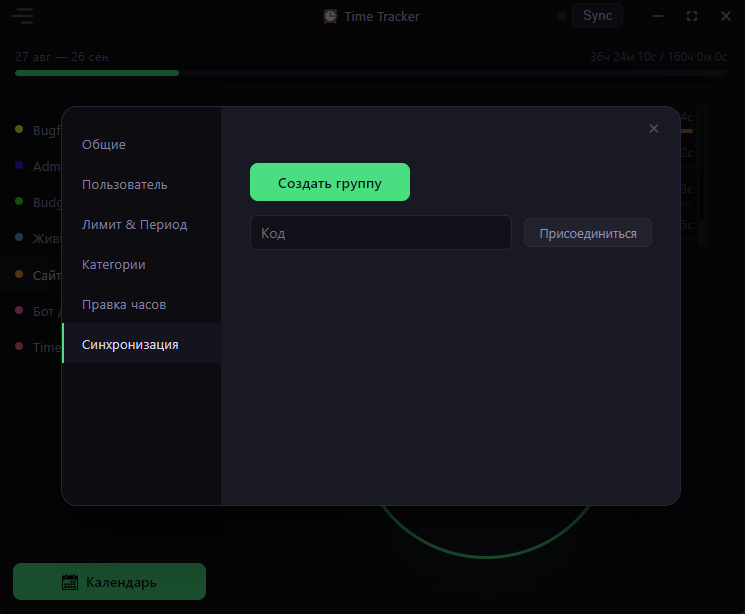
Solo or pair over LAN
Solo and offline by default. Optionally create a group (exactly two people) and sync over the LAN: UDP auto-discovery and a WebSocket handshake validated by a 6-character code — a device without the code is rejected.
-
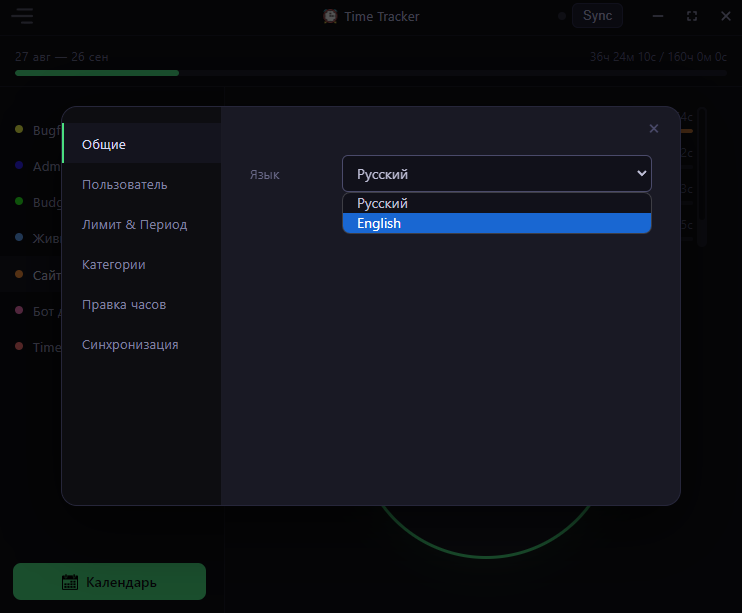
Bilingual UI
RU / EN, auto-detected from the OS locale and switchable live. A custom frameless title bar: draggable, themed, and it remembers size and position between runs.
Screenshots
Tech stack
- Electron
- Vanilla JS
- sql.js (SQLite/WASM)
- ws (WebSocket)
- node:test
- electron-builder